

I got hooked on open educational resources for a simple reason: they let me learn job-ready skills without waiting for permission or saving up for a pricey curriculum. When I taught myself web development from free public domain books and open courseware, I realized something that applies perfectly to homeschooling too: if you pair a solid textbook with real projects, you can build a legit Career and Technical Education (CTE) pathway at home.
One quick clarification up front: “CTE” is also a formal label used by states and school districts. What I am describing here is a homeschool-designed pathway that can align with common CTE skill areas, but it is not automatically a state-recognized program just because you call it CTE.
This guide walks you through creating a homeschool CTE track for high school using free textbooks and open resources, with a focus on practical outcomes like bookkeeping fluency, IT fundamentals, or agriculture and environmental systems. You will leave with a structure you can reuse, plus example course sequences and project ideas.

What a homeschool CTE track is
A CTE track is a focused sequence of skill-building courses that leads toward real-world capability. In a traditional school it might be “Business and Finance” or “Information Technology.” In homeschool, you can build the same idea by combining:
- A pathway (one main skill area for 2 to 4 years)
- A course sequence (intro, intermediate, capstone)
- Portfolio evidence (projects, labs, write-ups, presentations)
- Optional certification prep (where it makes sense)
The goal is not just “covered chapters.” The goal is “can do the work.” If you want a bigger picture view of building a whole self-taught curriculum from open materials, my starting point is Build a self-taught curriculum with free open textbooks.
Step 1: Pick a pathway outcome
The easiest way to keep CTE from turning into a random pile of links is to define the finish line first. A strong pathway outcome is specific and testable. Here are examples that work well for homeschool:
- Accounting pathway outcome: Student can run a small set of books, produce basic financial statements, and explain common transactions.
- IT pathway outcome: Student understands how computers and networks work, can troubleshoot common issues, and can explain core security habits.
- Agriculture pathway outcome: Student can explain soil, plant, and ecosystem basics and run a small season-long growing project with documented results.
If you are stuck between two options, choose the one with more local practice opportunities. Accounting may have volunteer bookkeeping options. IT can look like helping family troubleshoot under supervision. Agriculture can look like community gardens, 4-H style projects, or even a backyard container setup.
Step 2: Use a 3-layer stack
When I evaluate free textbooks, I look for whether they support real performance, not just definitions. For CTE, I like a simple stack:
Layer A: Core textbook
This is your spine. It provides vocabulary, concepts, and sequence. If you only do one thing, do this consistently.
Layer B: Applied practice
Problem sets, case studies, labs, or guided exercises. If the textbook is light on practice, you add practice with worksheets you create, open problem banks, or realistic scenarios.
Layer C: Portfolio projects
Projects prove skill. They also make grading simpler because you can assess an output, not a feeling.
If you want a reliable way to judge whether a free book is actually worth building around, use How to evaluate a free online textbook before you commit.
Step 3: Find stable, legal sources
For homeschool CTE, I prioritize sources that are stable, legal to use, and easy to read on basic devices. Here are three solid starting points on this site for finding and choosing materials:
- OpenStax vs LibreTexts to decide which ecosystem fits your student
- OER (Open Educational Resources) for the big picture of open licensing
- Guide to free textbooks for sorting truly free materials from trials and access traps
Also, do not underestimate search tools. If you are digging for a niche topic like horticulture pests, irrigation design, or Linux basics, Google Scholar can help you locate open-access texts and lecture notes. Just treat it like a search engine, not a guarantee. Always click through and confirm the licensing and actual availability before you build a course around it.
Three homeschool CTE pathways
Below are three track blueprints you can use as-is, or mix and match. I am focusing on pathways that translate well to home study and real projects.
Pathway 1: Bookkeeping and Small Business
Best for: students who like clear rules, categories, and practical math. Also great for future entrepreneurs.
Textbook anchors: For bookkeeping, you will want a true bookkeeping or accounting spine text (that is the skill you are trying to build). If you do not have one yet, use these as supporting anchors that strengthen business context and decision-making while you select a bookkeeping spine:
- Principles of Microeconomics for how businesses and markets behave
- Financial Management for money decisions, time value concepts, and business finance language
- Business Law for contracts, liability, and basic legal literacy
Suggested 2 to 3 year sequence
- Year 1: Bookkeeping fundamentals (spine text) + weekly transaction practice and reconciliation
- Year 2: Financial management + spreadsheet-based budgeting and cash flow
- Year 3 (optional capstone): Business law + a full mock business recordkeeping project
Portfolio projects that show skill
- Create a 12-month budget and cash flow plan for a fictional service business
- Build a chart of accounts for that business, then record 50 realistic transactions
- Produce a simple income statement and balance sheet and explain them in plain English
Privacy note: If you use real-life bookkeeping practice, keep it supervised and keep it clean. Use fictional data, redacted records, or a parent-owned micro project. Do not hand a teen someone else’s financial details and hope for the best.
Pathway 2: IT Support and Fundamentals
Best for: students who like problem-solving, systems, and tinkering. This pathway can be very hands-on even without expensive gear.
Textbook anchors: I like to anchor this pathway with an IT fundamentals spine, then add a second book depending on whether your student leans toward management or software:
- Essential IT and computer science textbooks for a curated starting shelf you can pull a true fundamentals book from
- Information Technology Management for how IT works inside real organizations (great for older students)
- Design Patterns if your student already codes and wants to level up software thinking
Suggested 2 to 3 year sequence
- Year 1: IT fundamentals (hardware, OS basics, networking basics) + troubleshooting habits + documentation
- Year 2: Security basics (safe accounts, backups, updates) + IT management concepts + a simple home lab routine
- Year 3 (optional capstone): a guided software or systems project with written documentation
Portfolio projects that matter
- Write a family IT handbook that covers backups, password hygiene, updates, and device care
- Run a month-long help desk log: document problems, hypotheses, fixes, and results
- Create a basic website or tool, then write a user guide and troubleshooting page
If certification is a goal, keep the workflow textbook-first, then align practice later. I have a separate guide that can help you structure that: Using free textbooks to prep for certification exams.
Pathway 3: Agriculture and Environmental Systems
Best for: students who learn by doing, enjoy outdoors, or want a science-forward vocational track.
Textbook anchors:
- Environmental Biology for ecosystems, cycles, and human impact
- Plant Biology for plant structure, growth, and physiology basics
- Understanding Nutrition if you want a farm-to-food connection (optional)
Suggested 2 year sequence
- Year 1: Environmental biology + weekly field observation journal
- Year 2: Plant biology + a full growing season project with data collection
Portfolio projects that feel like real work
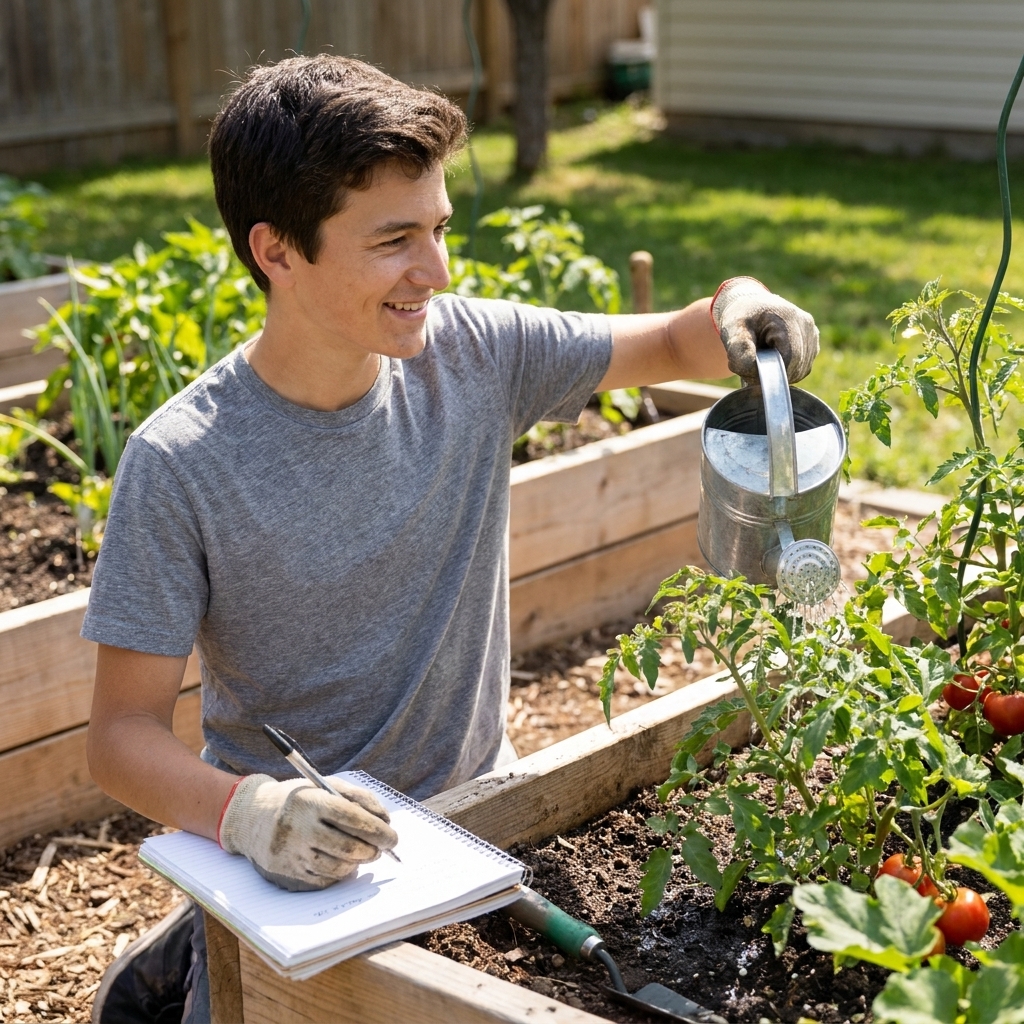
- Plan and run a container garden, raised bed, or indoor grow, with weekly notes and photos
- Track variables: sunlight, watering schedule, soil mix, pests, yield, and costs
- Write an end-of-season report with what worked, what failed, and what you would change
Step 4: Make it credit-worthy
Homeschool requirements vary, so I am not going to pretend there is one universal definition of a credit. What I can do is share a structure that tends to satisfy both common sense and typical transcript expectations. Adjust the pacing and hour counts to match your state guidelines and your student’s capacity.
A simple course recipe
- Instruction: 3 to 6 hours per week (reading, notes, mini-lectures, demos)
- Practice: 2 to 4 hours per week (problems, labs, scenarios)
- Projects: 1 substantial project per semester (with a write-up)
Make grading objective
Even if you do not assign letter grades, you can keep evaluation consistent by using a rubric. Example categories:
- Accuracy and completeness
- Process (can they explain how they did it?)
- Documentation (clear writing, screenshots, logs, citations where needed)
- Professionalism (on-time, organized files, revision after feedback)
For note-taking systems that do not fall apart mid-year, I like the approach in Digital textbook note-taking that actually sticks.
Records and compliance
This is the unglamorous part that makes your work portable later. A little documentation now saves a lot of stress later.
- Course title: keep it plain and readable (for example, “IT Support Fundamentals” or “Bookkeeping and Small Business”)
- Course description: 4 to 6 sentences on topics covered and the kinds of projects completed
- Materials list: core textbook title, plus any major supplemental resources you used
- Work samples: a short list of finished projects, with dates
- Hours or weeks: track time in a simple log if your state asks for it
If you want a broader homeschool planning view, start with Guide homeschool and adapt it to your local requirements.
Step 5: Build a weekly rhythm
One of the biggest issues with self-paced CTE is stamina. Textbooks are great, but they can be dense. A weekly rhythm keeps things doable.
A realistic weekly schedule
- Monday: Read and outline one chunk of the chapter
- Tuesday: Practice problems or applied exercises
- Wednesday: Read the next chunk + make flashcards from key terms
- Thursday: Lab or project work
- Friday: Short quiz, reflection, and update the portfolio
If your student is hitting the wall, use time blocks and shorter sprints. I wrote about that here: Overcoming textbook fatigue with time-blocking.

Step 6: Build a portfolio
A CTE track becomes dramatically more valuable when it leaves a paper trail. The portfolio does not need to be fancy. It just needs to exist and be organized.
What to save
- Project briefs (what you planned to do)
- Work samples (spreadsheets, code, photos, lab notes)
- Short reflections (what you learned, what you would do next time)
- Assessments (quizzes, rubrics, checklists)
Turn coursework into proof
When the time comes to write a resume or talk about skills in an interview, students do better with concrete examples than with vague claims. Two resources that can help:
- How to list self-taught skills from free textbooks on your resume
- How to talk about self-taught textbook knowledge in job interviews
For a project-first approach that connects textbook learning to tangible outcomes, see From page to practice: build a portfolio project from a textbook.
Safety and privacy basics
CTE gets real fast, which is the point. It also means you should build in a few ground rules.
- Bookkeeping: use fictional or redacted data unless a parent is directly supervising. Store files in a protected folder and do not email sensitive spreadsheets around casually.
- IT support: get permission before touching anyone’s devices. Do not collect or store other people’s passwords. Keep changes reversible with backups or restore points when possible.
- Agriculture: follow label directions for any fertilizer or pest control product. Prefer low-risk methods, wear gloves and eye protection when appropriate, and keep tool use supervised.
Common questions
Do I need a state CTE framework?
You can use one as a checklist, but you do not have to. Frameworks can help you spot missing competencies. The key is to keep your materials legal to use and your outcomes measurable, then document what you actually did.
What if my student is unsure?
Start with a one-semester sampler: one unit each from business, IT, and a hands-on science pathway. Then pick the one that sparks the most energy and follow-through. Motivation matters in self-directed learning more than perfect planning.
Can a free textbook replace paid curriculum?
Often yes, if you add structure and projects. The hidden ingredient in many paid programs is not the content. It is the pacing, the assignments, and the assessments. You can create those yourself once you have a solid spine text.
How do I pick a free book fast?
I use three filters: clear explanations, lots of practice, and examples that look like real life. This helps: Choose a free textbook that fits your course.
Start this week
If you want a low-stress beginning, do this in one afternoon:
- Pick one pathway outcome (bookkeeping, IT, or agriculture).
- Choose one spine textbook and one supporting resource.
- Create a one-page course plan: 18 weeks, one chapter chunk per week, one project by week 9, one project by week 18.
- Set up a portfolio folder on your computer with subfolders for Notes, Projects, and Assessments.
That is enough to turn “we should do CTE” into an actual track you can run. The best part is that once your student finishes one pathway, they will have the confidence to tackle the next one with the same method.